Careers in Bengaluru
Become a Caregiver with Maa Nest
Provide care to families through Maa Nest and manage your work directly from the app.
Free on Google Play and the App Store
Who can join (18 or older)
- Child Care: women caregivers
- Elder Care: registered nurses
- Physiotherapy: BPT and APT physiotherapists
Elder Care and Physiotherapy: women and men.
How to join: all in the app
- Download the app and sign inFree, with your mobile number.
- Verify your identityDigiLocker (Aadhaar) and a face check.
- Set up your profileServices, documents, areas and times.
- Get approved, then get bookingsUsually 2 to 10 hours once your documents are in.
Before you start
What to keep ready.
Required
- A smartphone and your mobile number
- Aadhaar linked to DigiLocker, to verify your identity
- Your experience, skills and the languages you speak
- The areas you will travel to and the times you are free
- For Elder Care: your nursing registration: council, registration number and certificate
- For Physiotherapy: your BPT (or equivalent) certificate
Optional, and good to have
- Police Verification Certificate
- Medical Fitness Certificate
- Bank account details, needed for your weekly payments and easy to add later
Certificates you add later are reviewed the same way, and approved ones show as badges on your profile.
Why join Maa Nest
Care for families, on your terms.
For babysitters and nannies, elder care nurses and physiotherapists in Bengaluru who want to work independently.
No joining fees
Joining Maa Nest and setting up your profile costs nothing.
Choose your availability
Mark the days and times you can work, and change them whenever you need to.
Choose where you work
Pick the areas of Bengaluru you are comfortable travelling to.
Work independently
Work independently on your own terms through the Maa Nest app. No fixed office and no traditional agency-style daily reporting.
Booking requests in the app
Families find your profile and send booking requests through Maa Nest, and you choose which ones to accept.
Get paid weekly
Your earnings are paid weekly to your bank account, and completed bookings earn you Care Points rewards.
Step-by-step walkthrough
Every screen, step by step.
The four steps above in detail, with the real screens from the app. You can stop at any step and carry on later.
Step 1: Download Maa Nest
Get the free Maa Nest app from Google Play or the App Store, open it and choose “I want to become caregiver”.
Step 2: Sign in with your mobile number
Enter your mobile number and the one-time code we send you by SMS, then add your name.
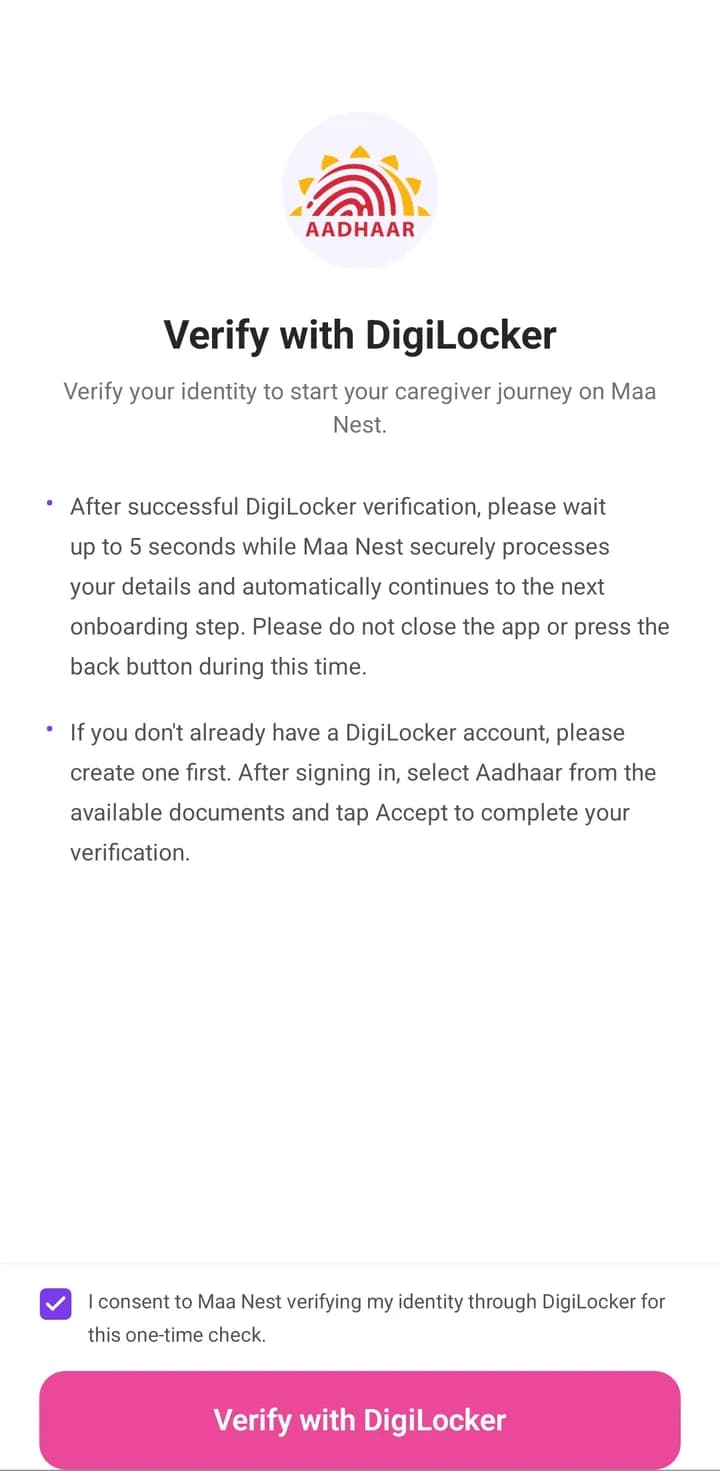
Step 3: Verify your identity
Confirm who you are with DigiLocker (Aadhaar) and a quick face check, so families know you are who you say you are.
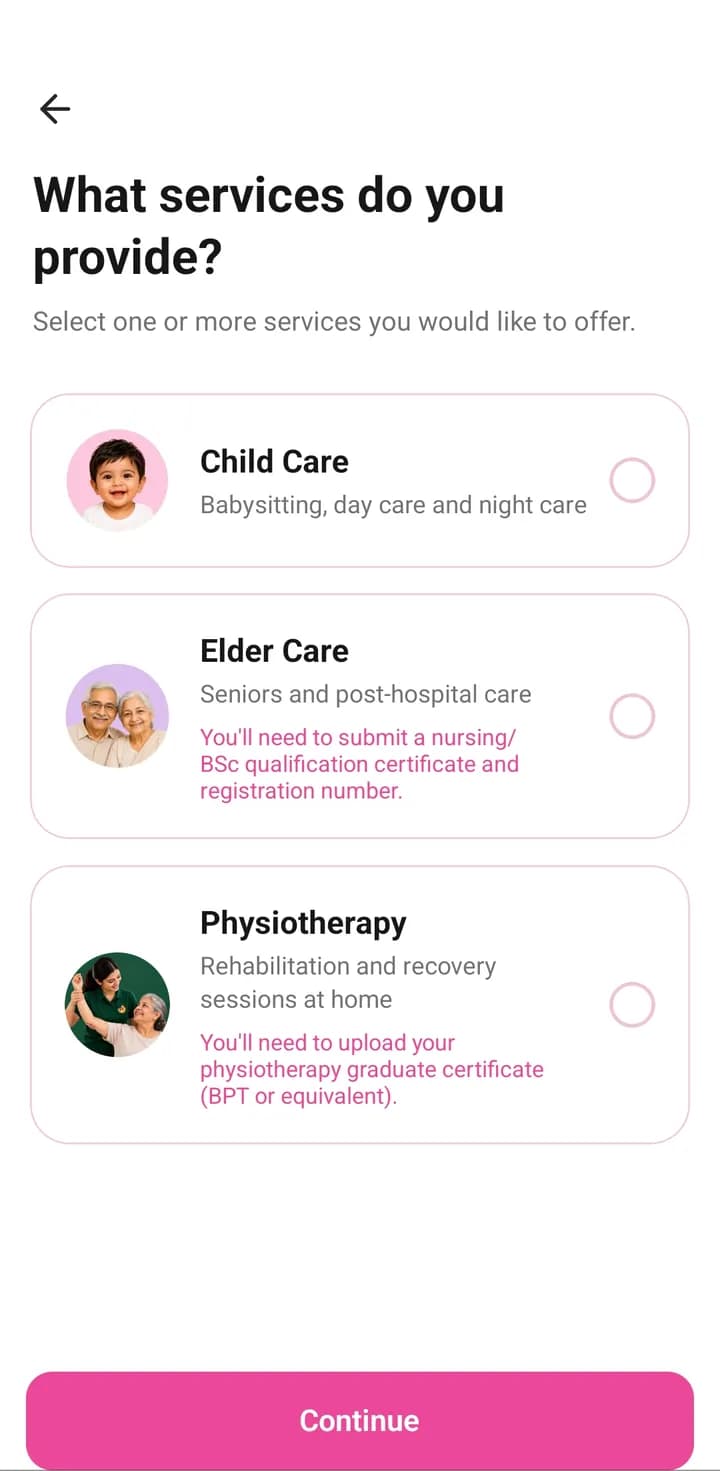
Step 4: Choose the care you provide
Pick Child Care, Elder Care or Physiotherapy, or more than one, and the kinds of care you are comfortable giving.
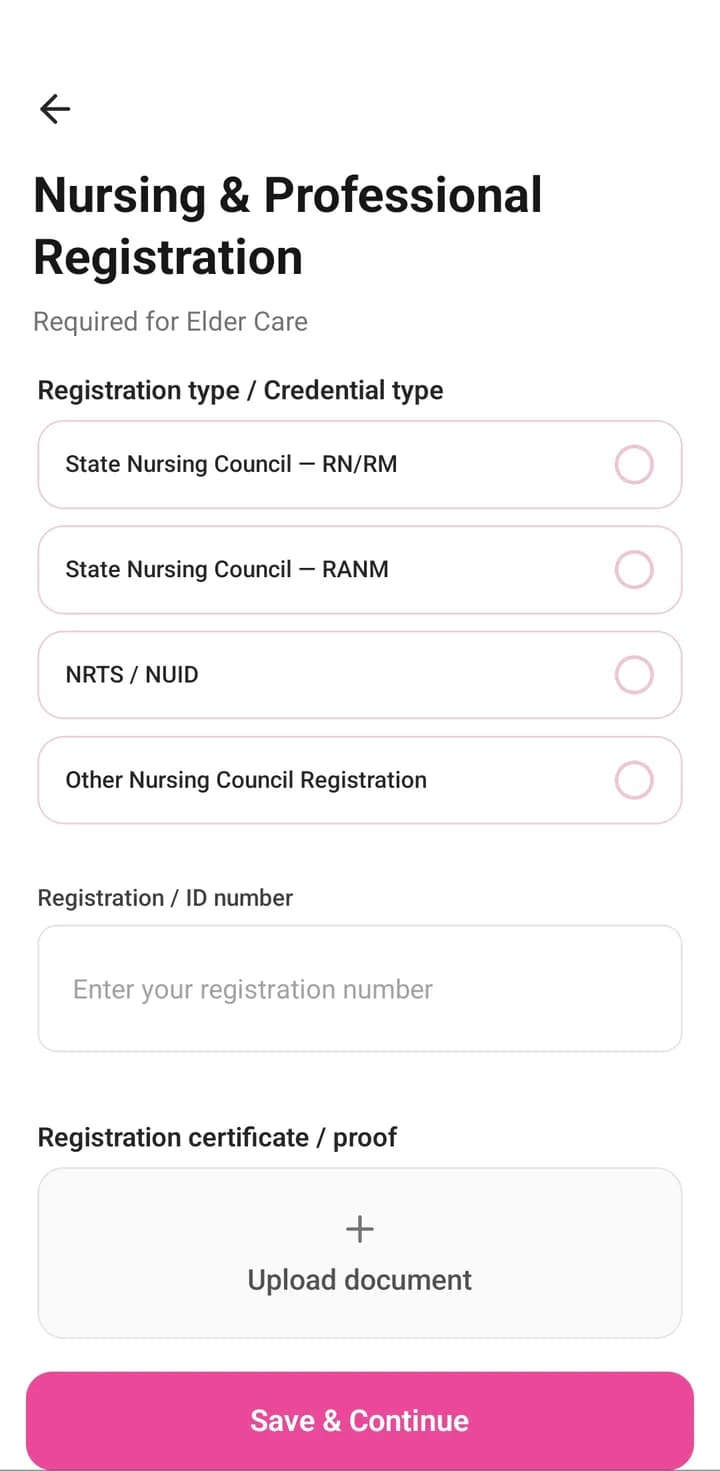
Step 5: Add your professional documents
For Elder Care, add your nursing registration. For Physiotherapy, add your BPT (or equivalent) certificate. Child Care needs neither.
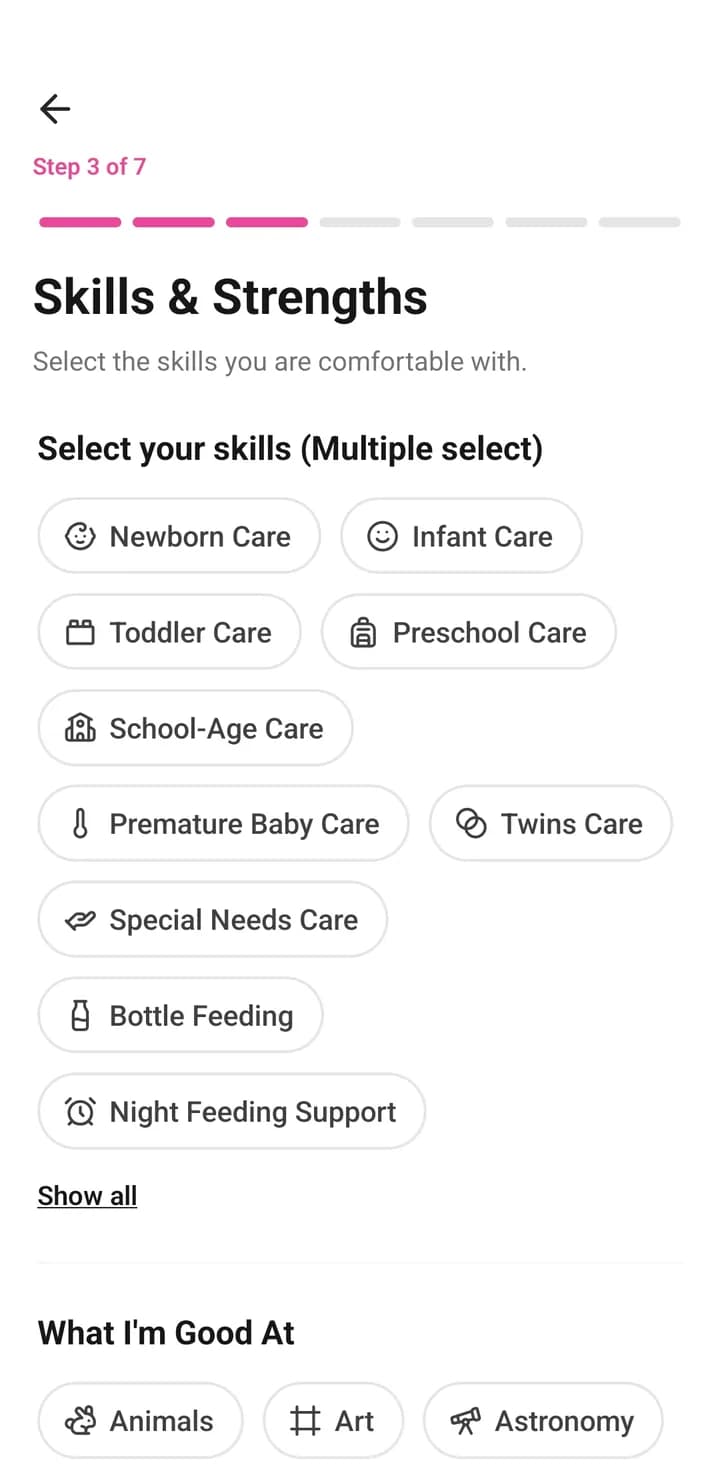
Step 6: Share your experience and skills
Confirm your details, then tell families about your experience, the skills you are confident in and the languages you speak.
- Optional
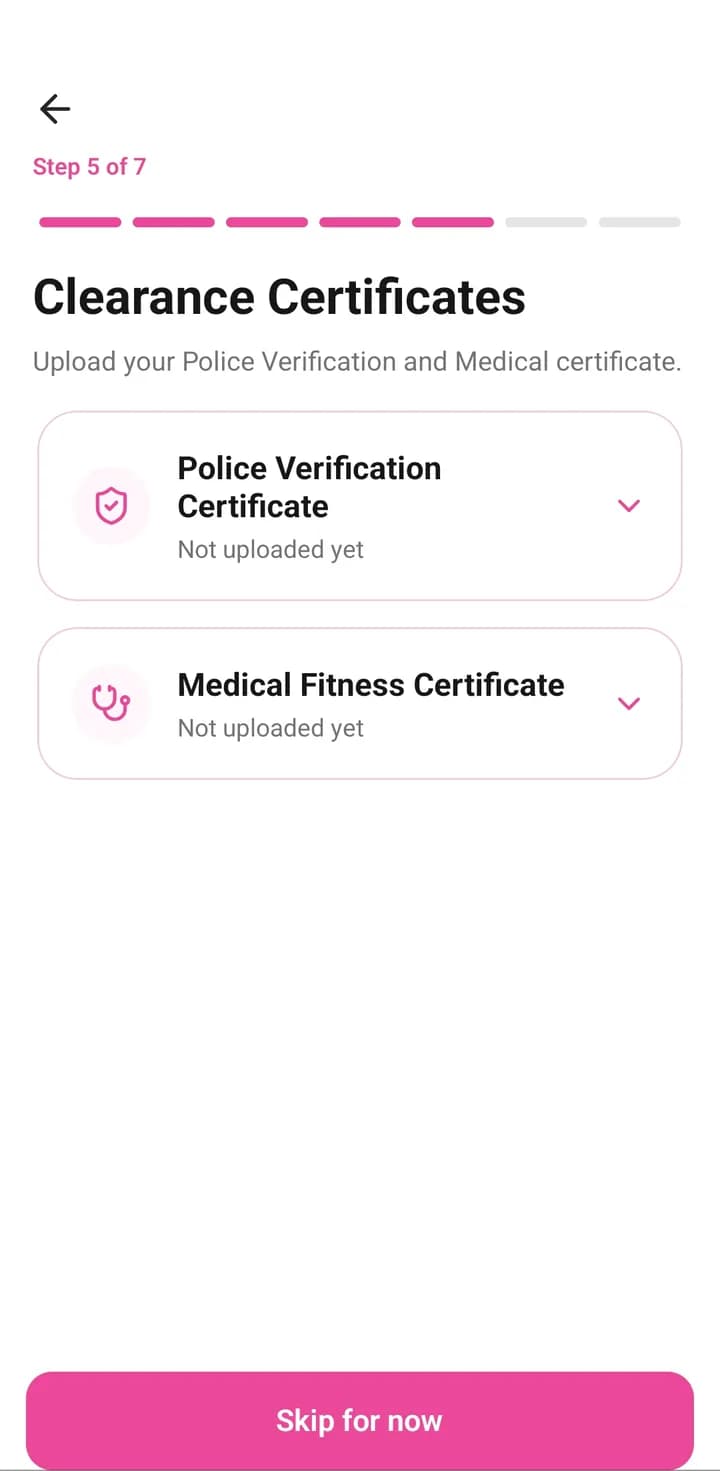
Step 7: Add your safety certificates
Upload your Police Verification and Medical Fitness certificates now, or tap “Skip for now” and add them later from your profile.
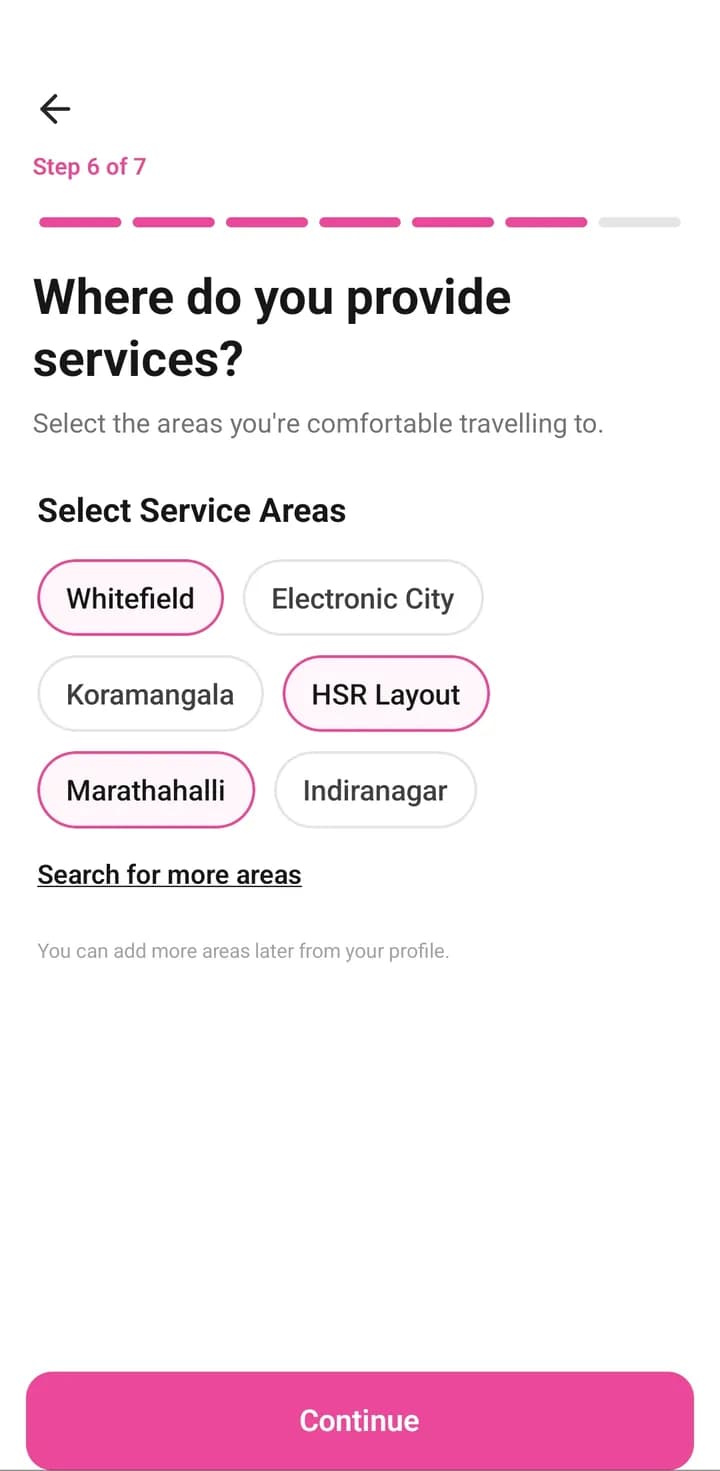
Step 8: Choose your service areas
Select the areas you are comfortable travelling to. You can add more later.
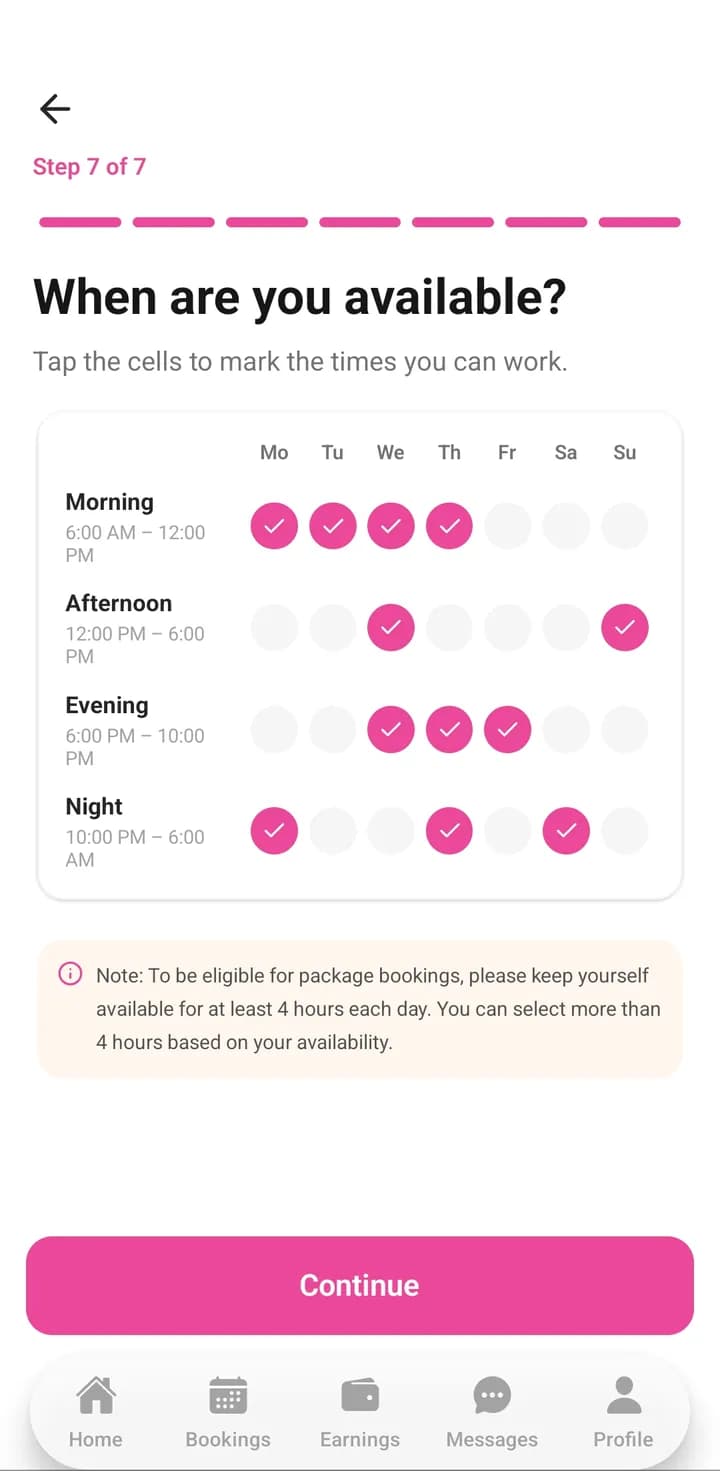
Step 9: Set your availability
Tap the days and times you can work. You can change them any time.
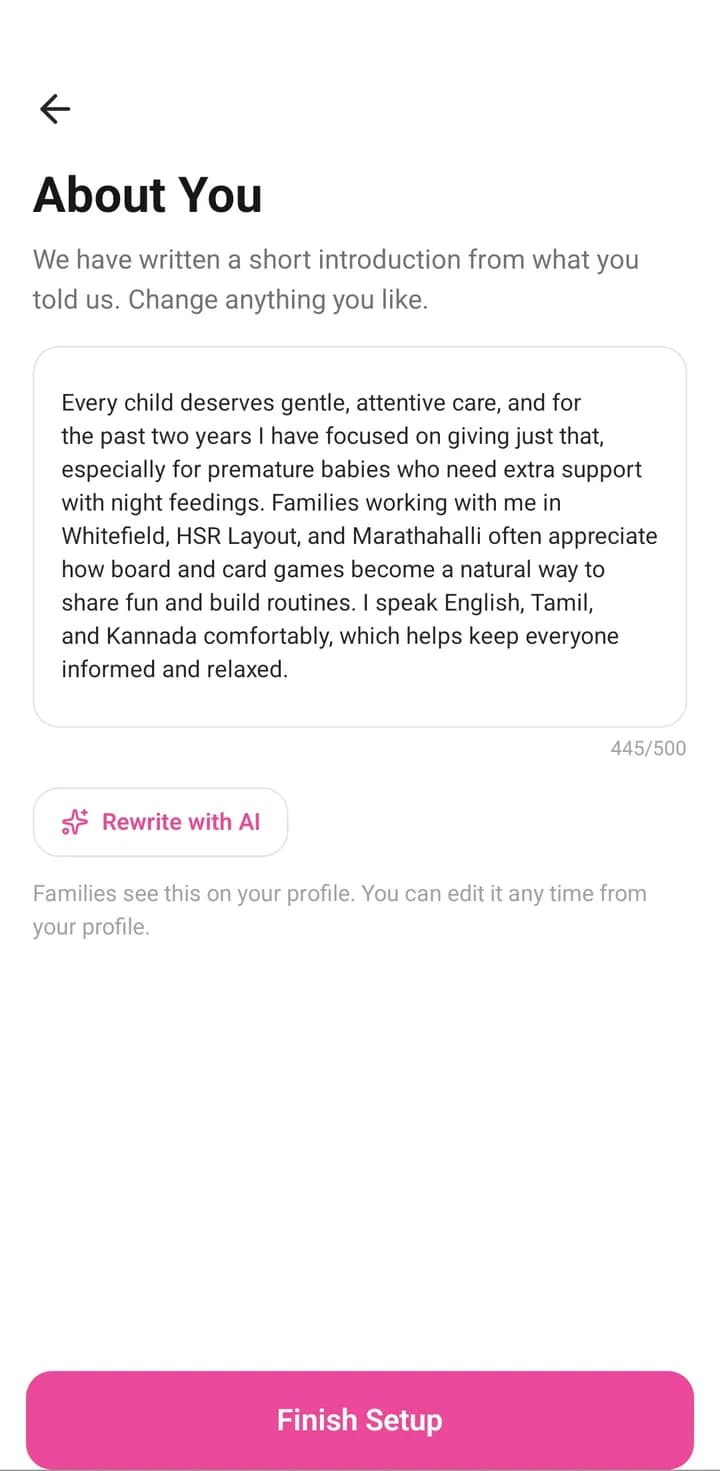
Step 10: Finish your profile
Add your bank details now or later, and check the short introduction we write for you from your answers. Then tap “Finish Setup”.
Step 11: Get approved & start receiving bookings
Our team reviews your profile, usually within 2 to 10 hours once all your documents are in. Once approved, families can find you and send booking requests.
Ready to get started?
Download Maa Nest and create your caregiver profile.
Free on Google Play and the App Store
Need help during onboarding? Feel free to reach out to us. We’ll be happy to help.
+91 63628 34307 support@maanest.in
Regards,
Team Maa Nest